
Best Rust Settings for FPS and PvP: A Practical Tuning Guide
 CornieEditor & Lead ReviewerAugust 4, 2026 6 min read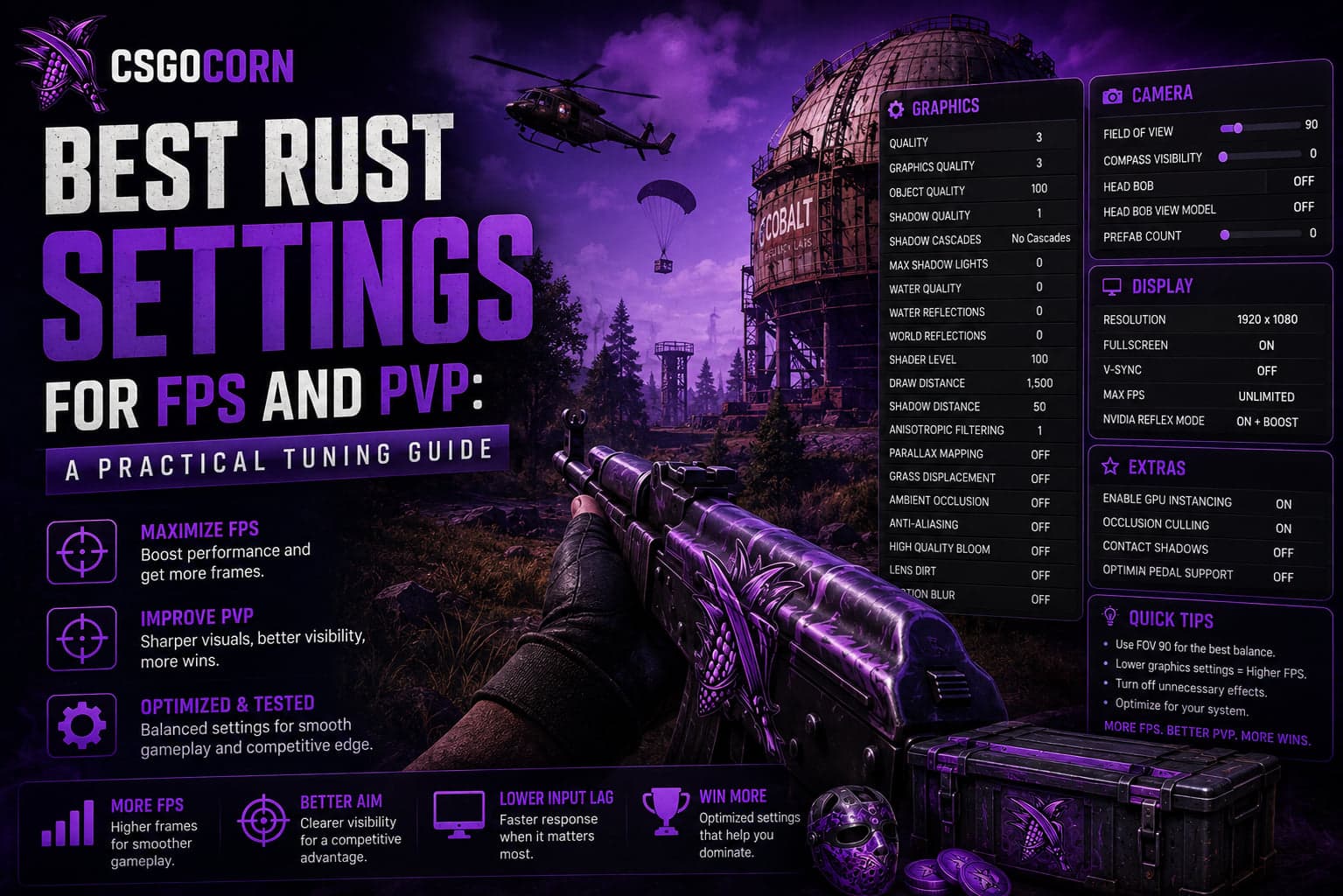
Rust is one of the heaviest games in its genre, and a lot of the performance people lose is lost to two or three settings rather than spread evenly across the menu. Turning everything to minimum is the blunt approach; it costs you frames you did not need to spend and visibility you actually wanted.
This guide separates the settings that matter from the ones that do not, and covers the audio and control side too — because a fight is usually decided by hearing someone before they hear you, not by an extra ten frames.
Start with the two settings that dominate everything
Draw distance and object quality
These control how much of the world is being rendered at any moment, and on a large populated map they cost more performance than the rest of the graphics menu combined. Lowering them is the single most effective change most players can make.
The trade-off is real, though: pushing draw distance too low means players and structures pop in late, which is a genuine disadvantage in open terrain. Find the point where the world still resolves at the range you actually fight at, and stop there rather than dragging it to minimum.
Shadow quality
Shadows are expensive. They are also information — a shadow moving around a corner is a warning. Cutting them entirely is a real frame win and a real awareness loss, and which way that trade goes depends on your hardware. If your frame rate is fine, keep them.
Settings to cut without hesitation
- Motion blur. Costs performance and actively obscures moving targets. There is no argument for it in a PvP game.
- Depth of field. Blurs exactly the distance you are trying to read.
- Ambient occlusion. Subtle visual improvement, disproportionate cost.
- Anti-aliasing, if you are struggling. Nice to have; first thing to go when frames matter.
- Grass displacement and dense foliage. Heavy, and thick grass hides people you would rather see.
Settings worth keeping
- Reasonable texture quality. Textures live in video memory rather than costing frame time, so if you have the VRAM, low textures buy you very little and make the game harder to read.
- Enough draw distance for your playstyle. A sniper needs more than someone who fights in compounds.
- Water quality above minimum if you spend time on the coast; the lowest setting can make surfaces genuinely hard to interpret.
Resolution and display
Running at native resolution in exclusive fullscreen is the baseline. If you need more frames than that allows, reducing render scale usually looks better than dropping to a non-native resolution, because the interface stays sharp while the world renders lower.
Cap your frame rate slightly below your monitor's refresh rate rather than leaving it uncapped. An uncapped Rust will happily consume every available resource for frames you cannot see, which makes frame pacing worse and your machine hotter.
Audio: the settings that win fights
This is where the real edge is, and it is the section most guides skip.
- Turn game music off. It occupies the same frequency space as footsteps and adds nothing tactically.
- Keep ambience low but not silent. Environmental audio carries directional information.
- Master volume high enough that footsteps are audible without gunshots being painful. If gunfire makes you flinch and lower the volume mid-fight, it is set too high.
- Use headphones, not speakers. Rust's audio is directional and speakers throw most of that away.
A player who hears a footstep through a wall wins more fights than a player with an extra twenty frames. If you change one thing from this guide, change the music slider.
Controls and sensitivity
- Lower sensitivity than you think. Rust's recoil patterns are learned through consistent muscle memory, and high sensitivity makes them harder to control.
- Match your sensitivity across games if you play several shooters, so the muscle memory transfers.
- Rebind for comfort. Building and raiding involve a lot of key presses under pressure; anything requiring an awkward stretch will fail at the worst moment.
- Turn on the crosshair and hit markers if available — feedback is information.
System-level things that matter more than settings
- Install on an SSD. Rust streams a lot of data, and a mechanical drive causes stutter no graphics setting will fix.
- Keep graphics drivers current. Unglamorous, genuinely effective.
- Close background applications. Rust is memory-hungry; browsers and chat clients compete with it.
- Check your RAM. This is the most common real bottleneck, and no amount of setting tweaks compensates for not having enough.
What settings cannot fix
A meaningful share of the stutter people blame on their graphics options is not coming from their graphics options at all.
- Server performance. A heavily populated server with thousands of structures runs worse for everyone on it, and no local setting changes that. If the same machine runs smoothly elsewhere, the server is the variable.
- Network quality. Rubber-banding and delayed hit registration are latency and packet loss, not frame rate. They look similar in the moment and have completely different causes.
- Asset streaming. The stutter when you enter a new area is the game loading data. Storage speed fixes that; lowering shadows does not.
- Background processes. A browser with thirty tabs competes for exactly the memory Rust wants.
Diagnosing this correctly saves a lot of pointless tuning. If your frame counter stays high while the game feels bad, the problem is not frames.
Testing changes properly
The usual approach — change five settings, join a server, decide it feels better — teaches you almost nothing, because server population alone can swing performance more than any setting you touched.
A more reliable method:
- Change one thing at a time. Tedious, but it is the only way to know which setting was responsible.
- Watch the low points, not the average. The number that matters is your frame rate during a fight in a built-up area, not standing in a field.
- Test in the same place. Comparing a quiet zone against a monument tells you about the location, not the setting.
- Give it time. Performance often improves after the first few minutes as assets finish loading.
A sensible tuning order
- Set resolution to native, fullscreen, capped frame rate.
- Turn off motion blur, depth of field and ambient occlusion.
- Lower draw distance and object quality until frames are comfortable.
- Adjust shadows last, based on what is left.
- Fix audio: music off, headphones, sensible master volume.
- Play a few hours before changing anything again — chasing settings between every session teaches you nothing.
Frequently Asked Questions
What is the biggest FPS killer in Rust?
Draw distance and object quality, by a wide margin. They control how much of the world is rendered at once, and on a busy map that dominates everything else.
Should I turn shadows off completely?
Only if you need the frames. Shadows carry real tactical information, so keep them if your hardware allows.
Does lowering graphics make players easier to see?
Partly. Reducing foliage and grass helps, but pushing draw distance too low makes distant players render late, which hurts more than it helps in open terrain.
Do more frames actually help in Rust?
Up to a point. Consistent frames matter more than peak frames — stutter during a fight costs you more than a lower steady number would.
Is a settings change enough on an old machine?
It helps, but RAM and storage speed are usually the real limits. Settings cannot compensate for a mechanical drive or insufficient memory.
The short version
Cut draw distance, object quality, motion blur, depth of field and ambient occlusion. Keep textures and enough shadow detail to read the world. Cap your frame rate, use headphones, and turn the music off. Then go and play instead of tuning.
Ready to pick one? We tested and ranked the Rust gambling sites — deposits, payouts, bonus terms and all.
See the tested Rust gambling sitesRelated posts
Rust Skin Rarity Explained: Which Items Actually Hold Their Value
Rust skins do not work like CS2 skins. There is no float, no pattern index and no case rarity ladder — value comes from limited availability and whether an item is still obtainable. Here is what actually drives Rust skin prices.
RustBest Rust Upgrader Sites in 2026
The best Rust upgrader sites of 2026, hand-ranked on trust, provably fair verification, bonus value and payout speed — plus how upgrader actually works before you play.
RustBest Rust Jackpot Sites in 2026
The best Rust jackpot sites of 2026, hand-ranked on trust, provably fair verification, bonus value and payout speed — plus how jackpot actually works before you play.